
Leave the planning
to METRO.
When planning makes it hard to get started, METRO helps you see what to do next.


The Android app is available on Google Play.
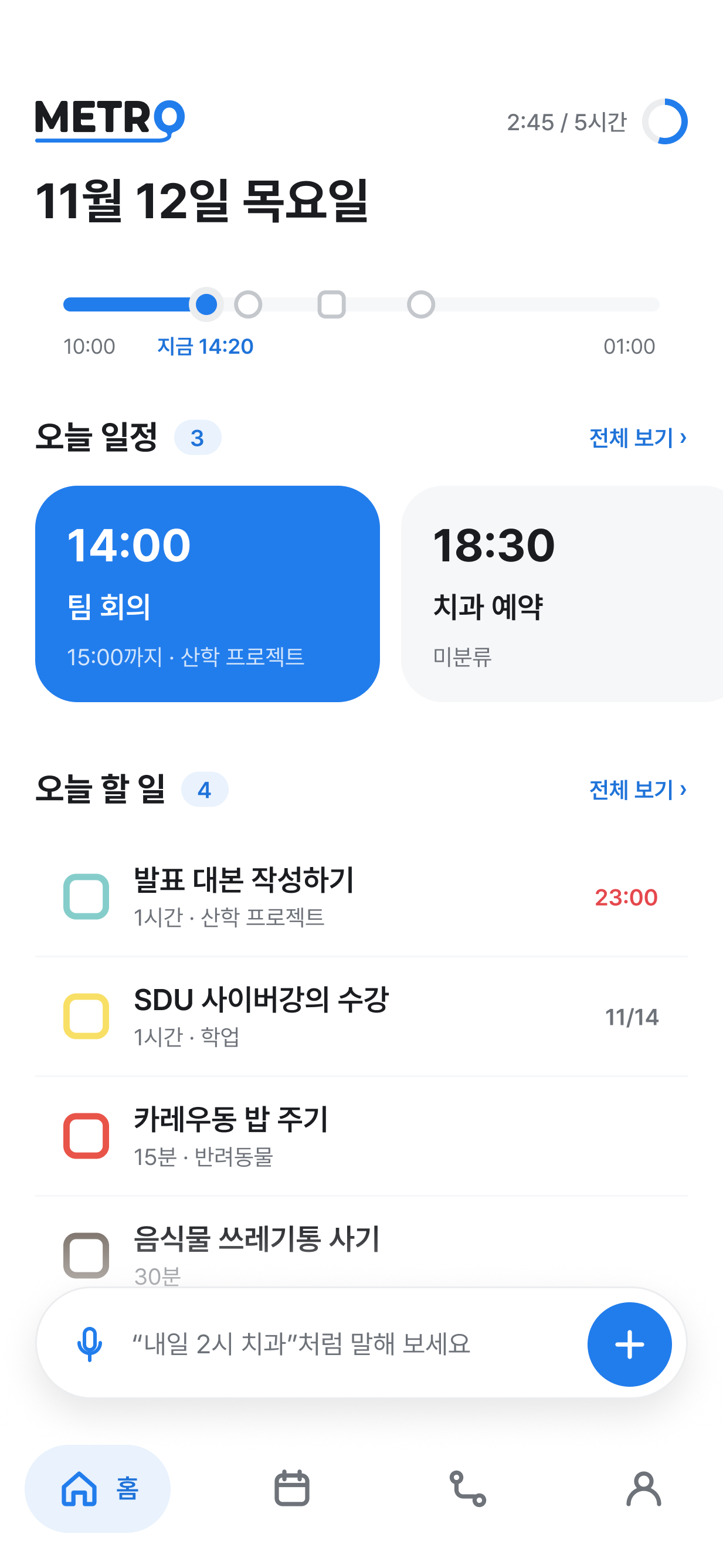
- Study group
- Team meeting
- Dentist
- Write a script
Add events and tasks in a sentence
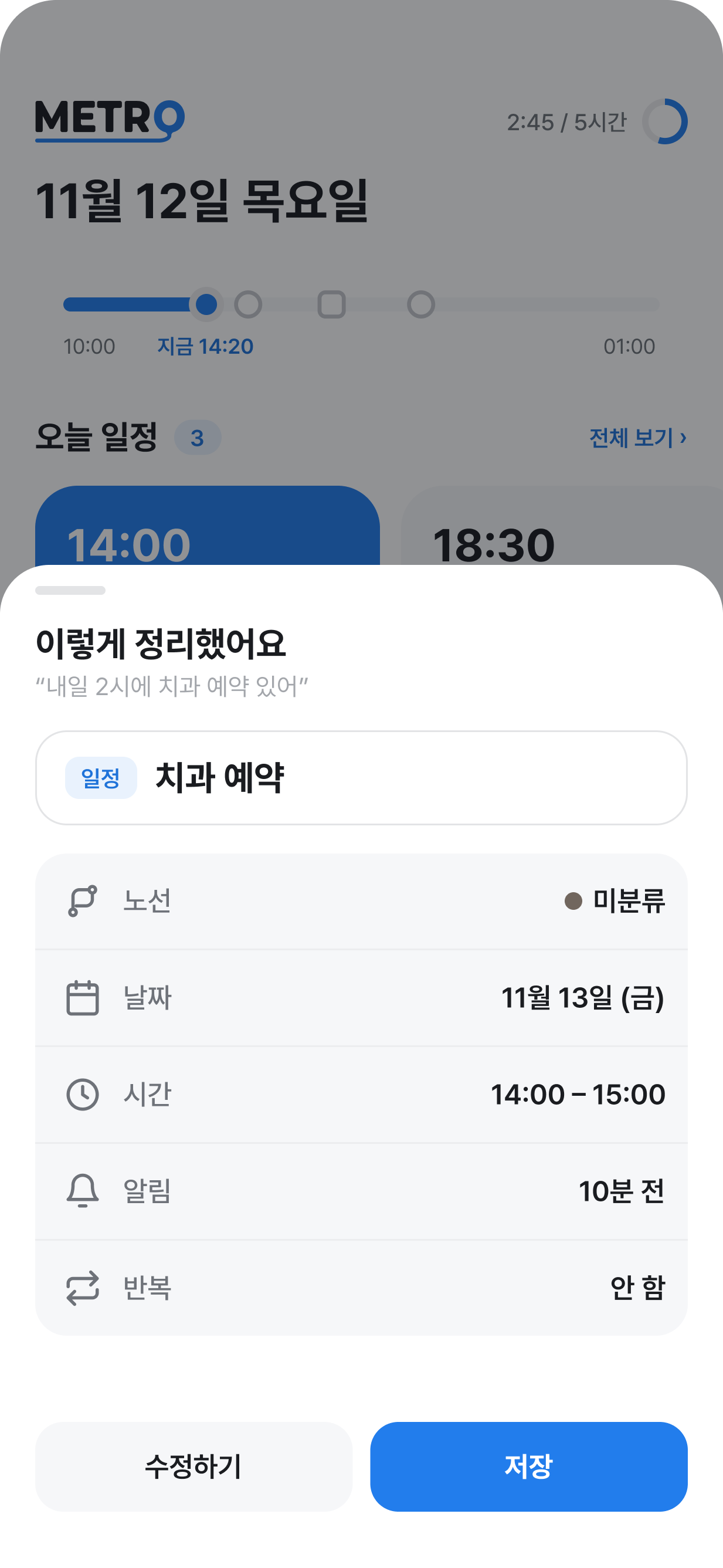
- Add an eventType or say “Dentist tomorrow at 2” in Korean to fill in the date and time. In the example, the appointment is set for Friday, November 13 at 2 p.m.
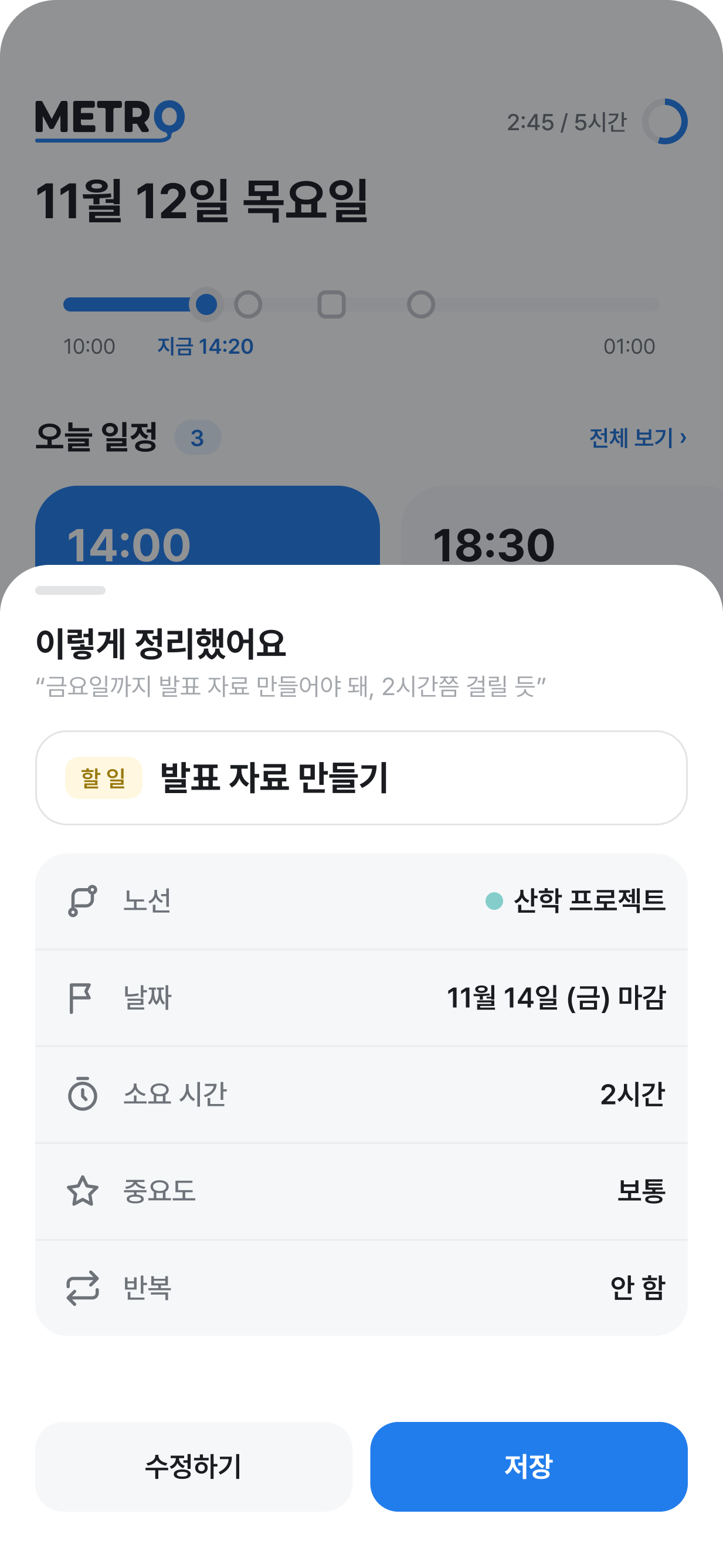
- Add a taskType or say “Make slides by Friday. About two hours” in Korean to set a deadline and duration. In the example, the task is to make slides, with an estimate of two hours.
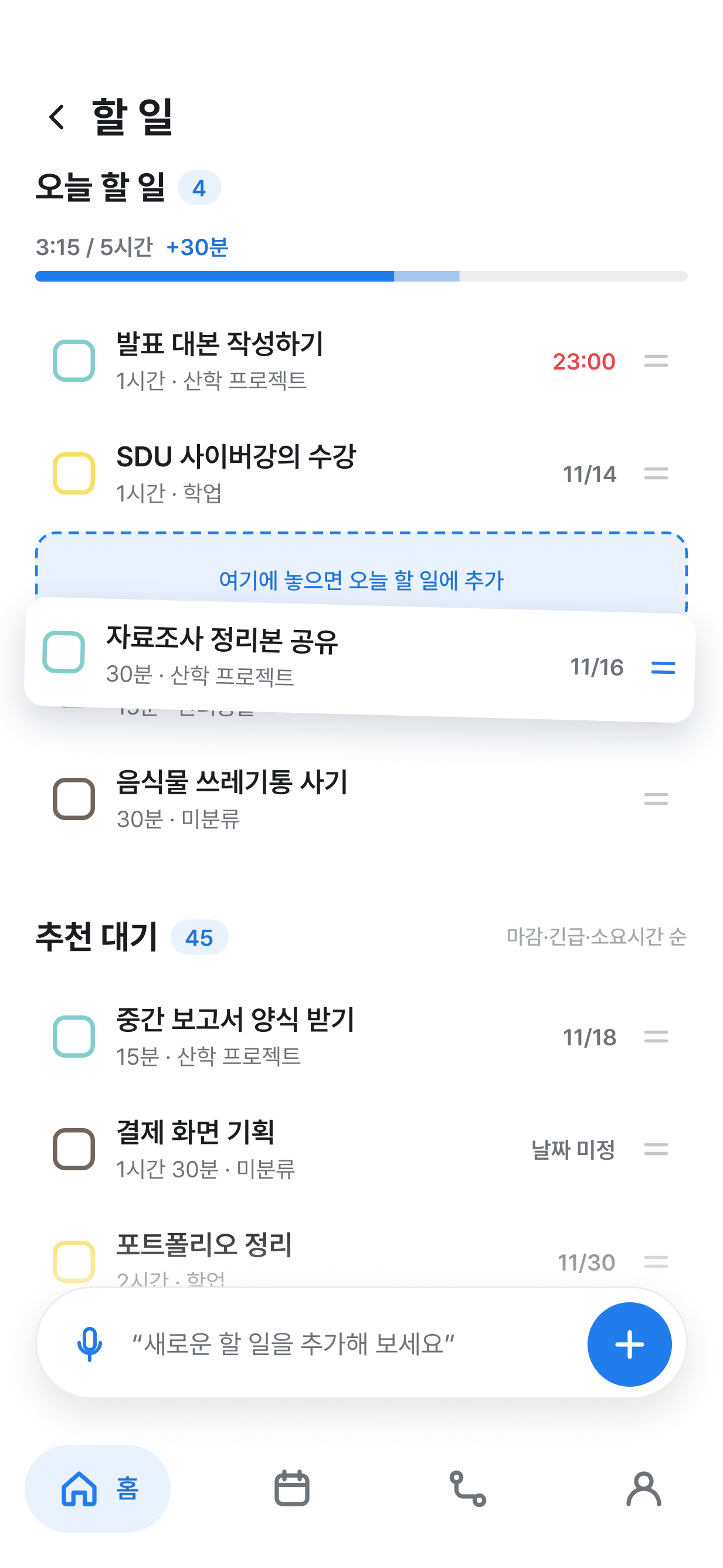
See what to do today
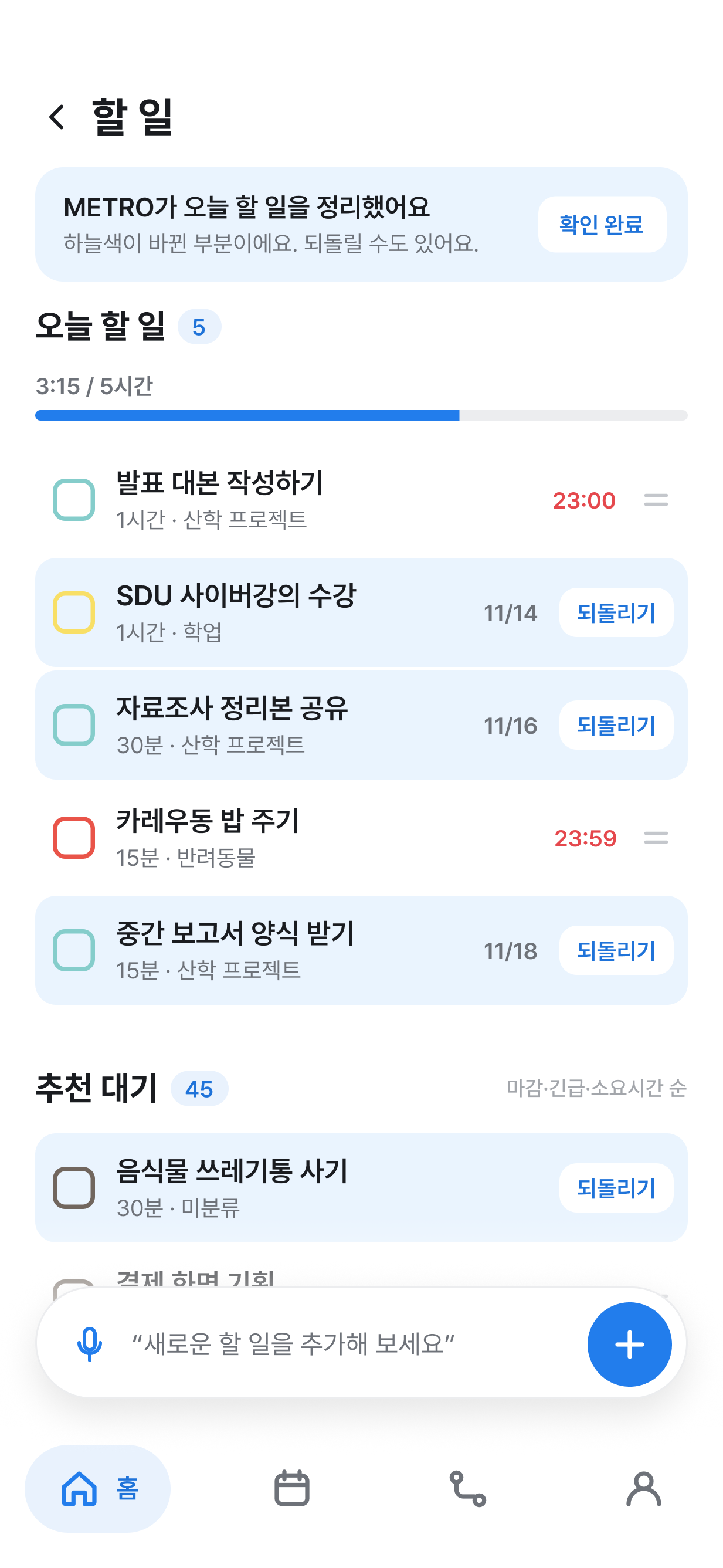
- Daily recommendationsMETRO suggests tasks based on priority, deadlines and time estimates. Changes appear in blue.
- Undo a changeTap Undo next to a task to restore it.
- Add a task to TodayPress and hold a suggested task to move it to Today.
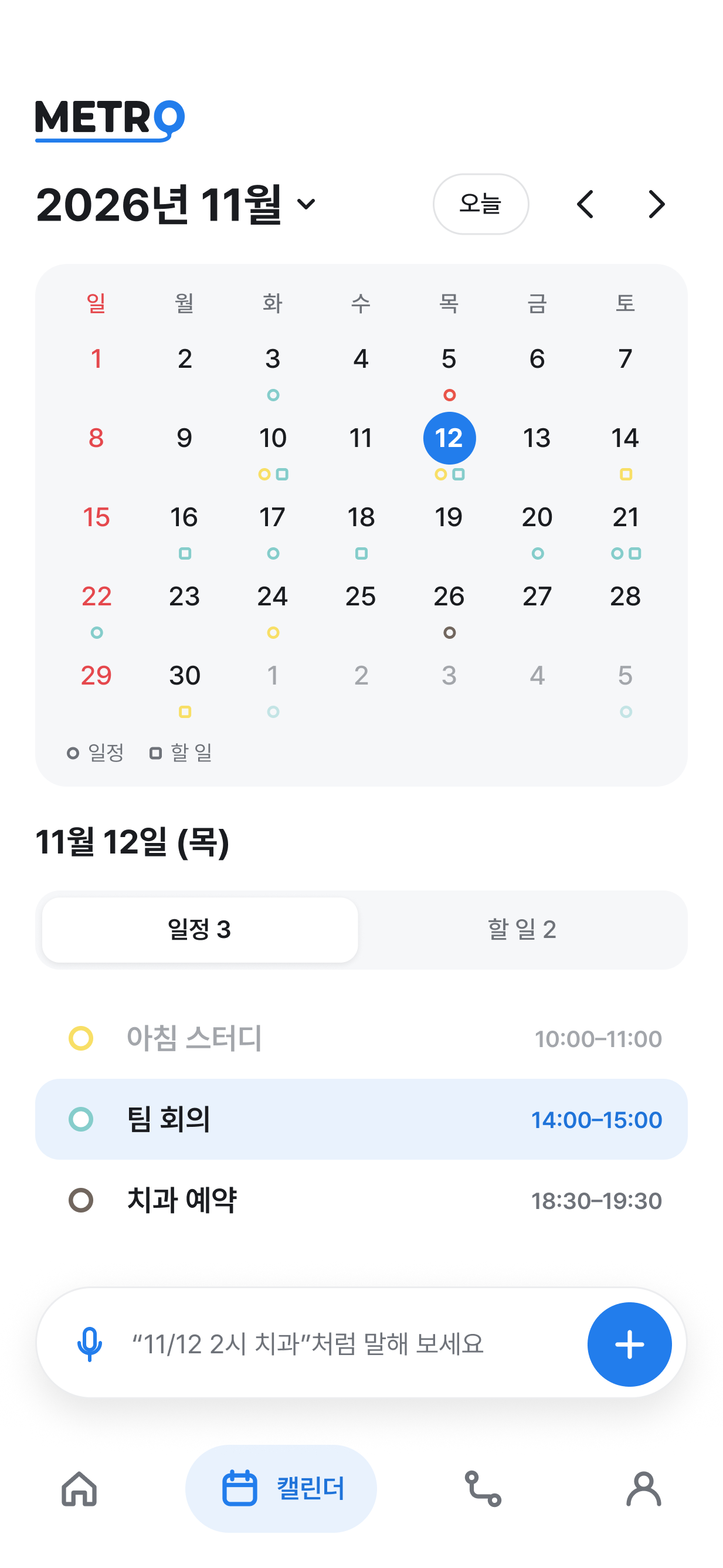
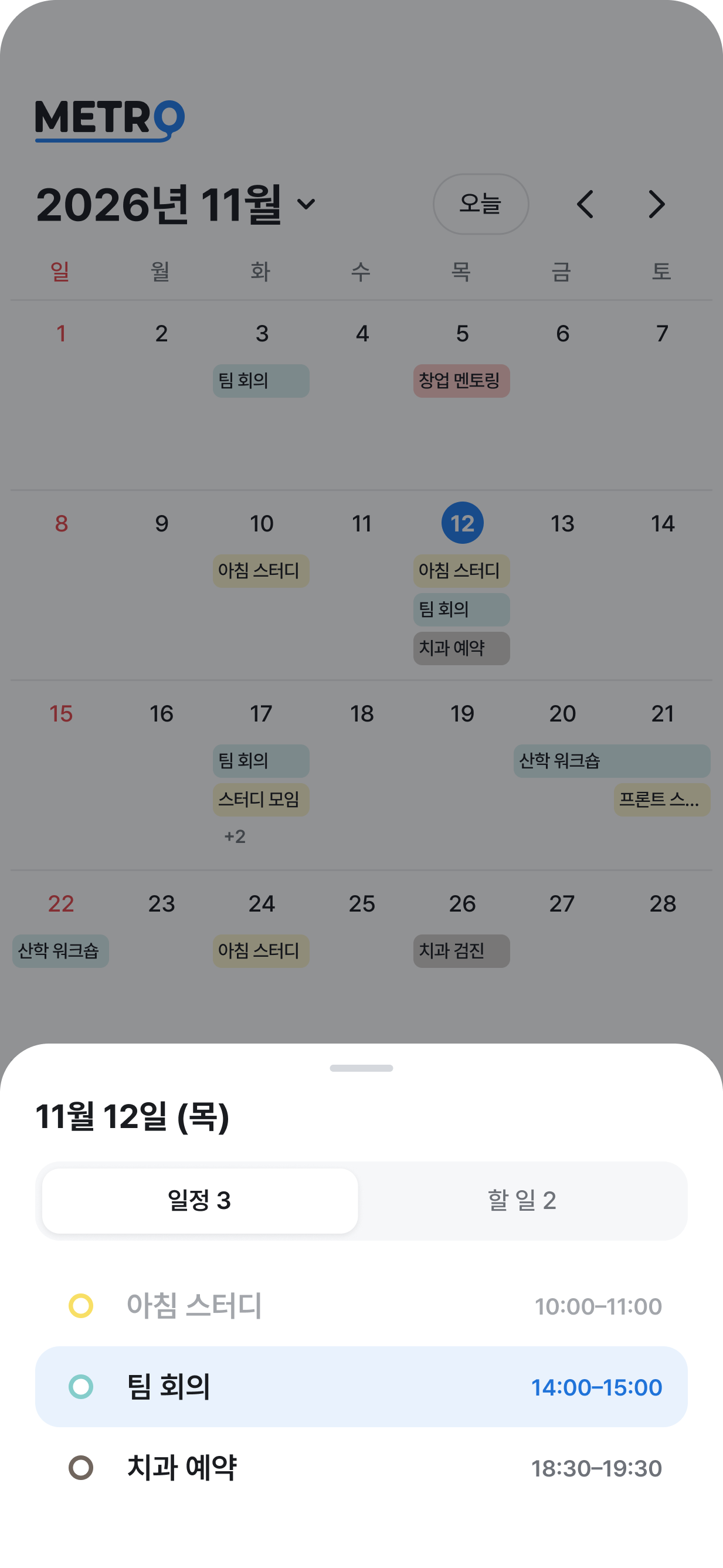
See the month at a glance
- Month viewCircles mark events and squares mark tasks.
- Day viewTap a date to see its events and tasks. Select November 12 in the example to see a study group, a team meeting and a dentist appointment.
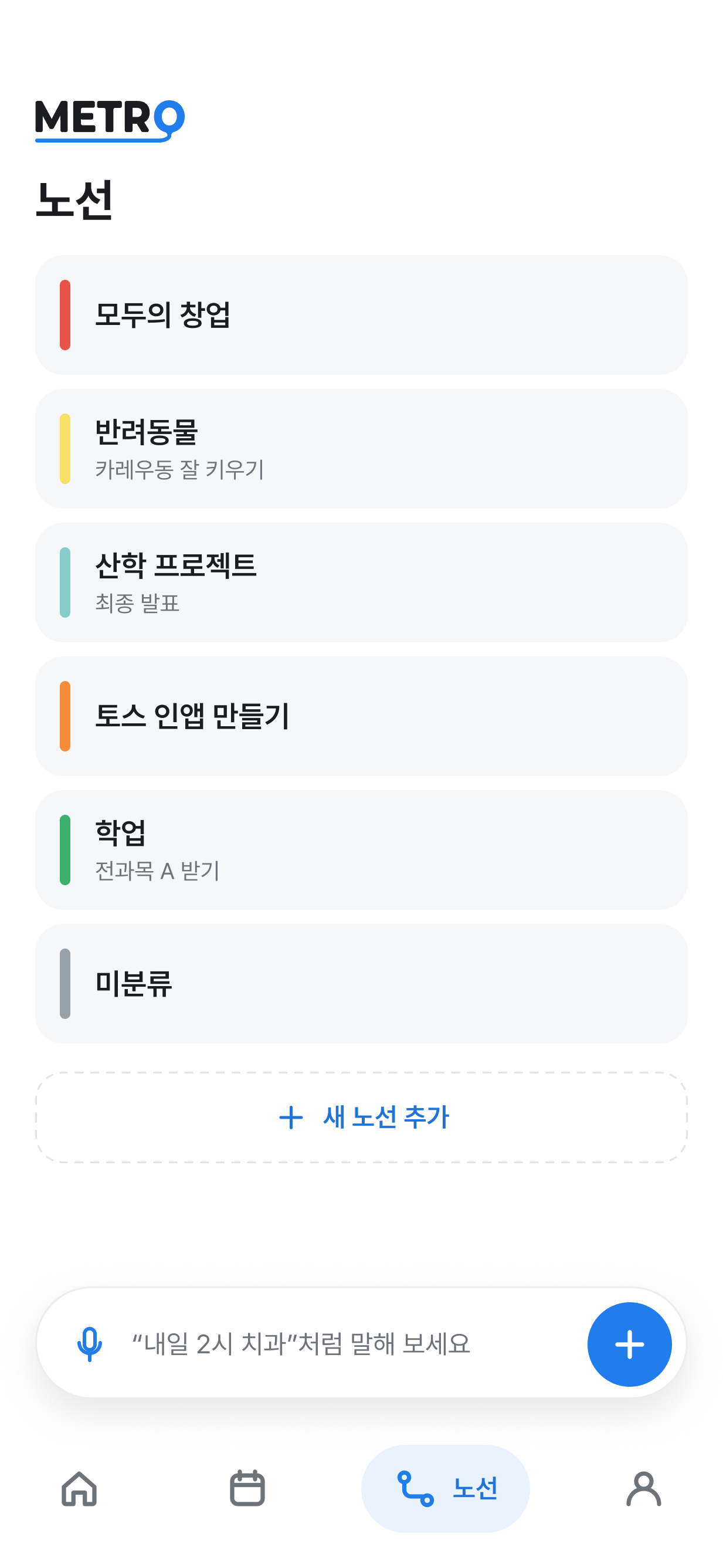
Give each goal its own line
- Group by lineKeep the events and tasks for a project together on one line. Example lines include business launch, pet care, research and studies.
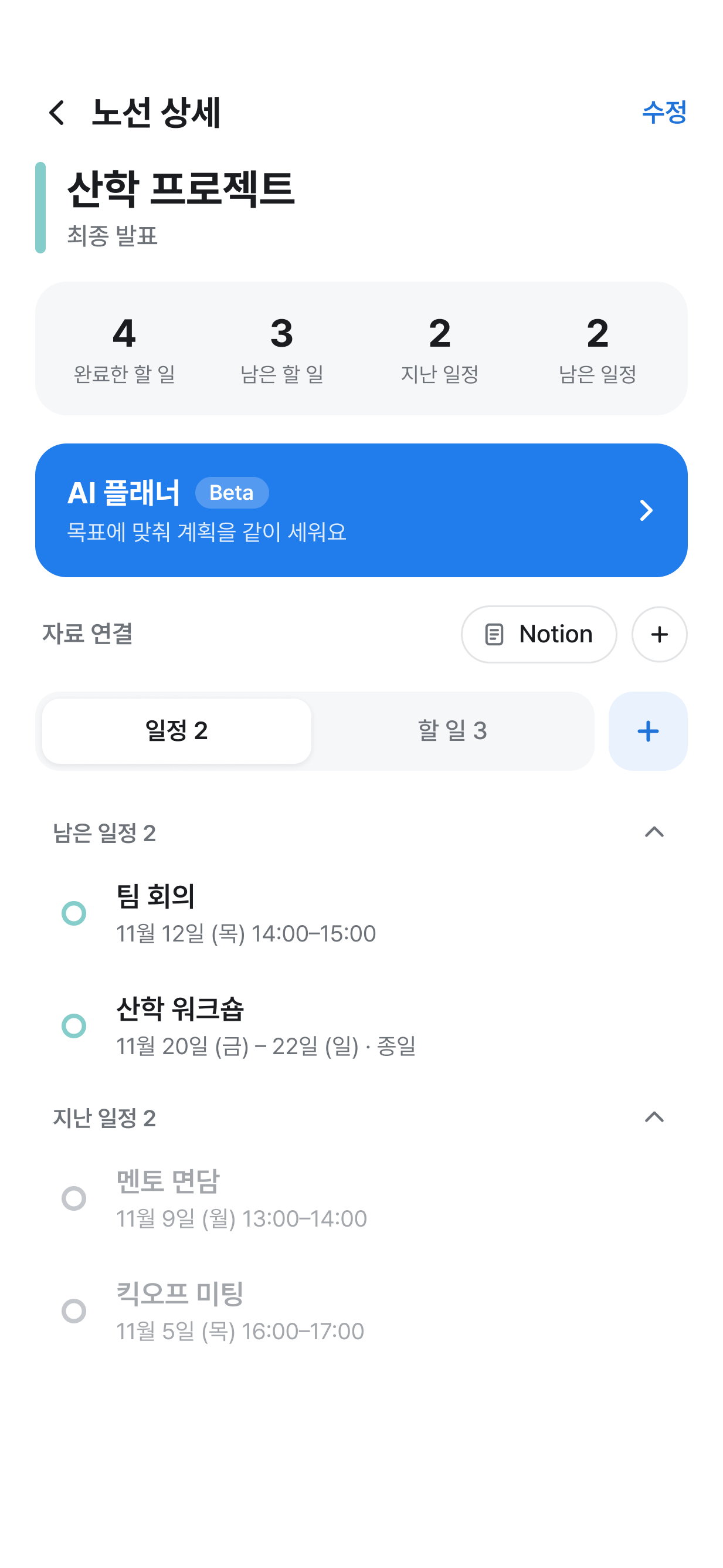
- Check your progressOpen a line to see completed tasks, what remains and upcoming events. The example shows four completed tasks, three remaining, two past events and two upcoming.
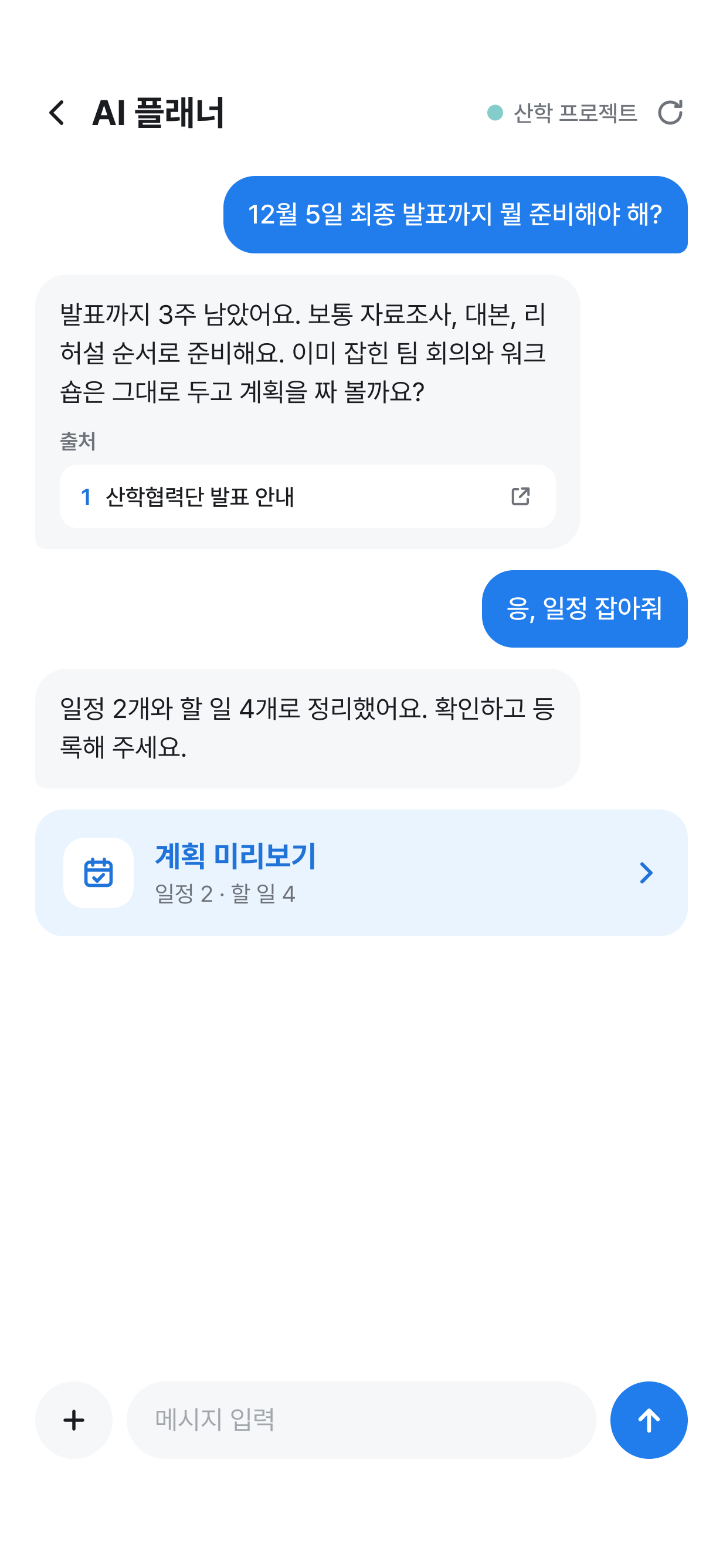
Make a plan with AI Planner
- Share your goalTell AI Planner what you want to achieve when you’re unsure where to start. For the presentation example, AI Planner suggests two events and four tasks.
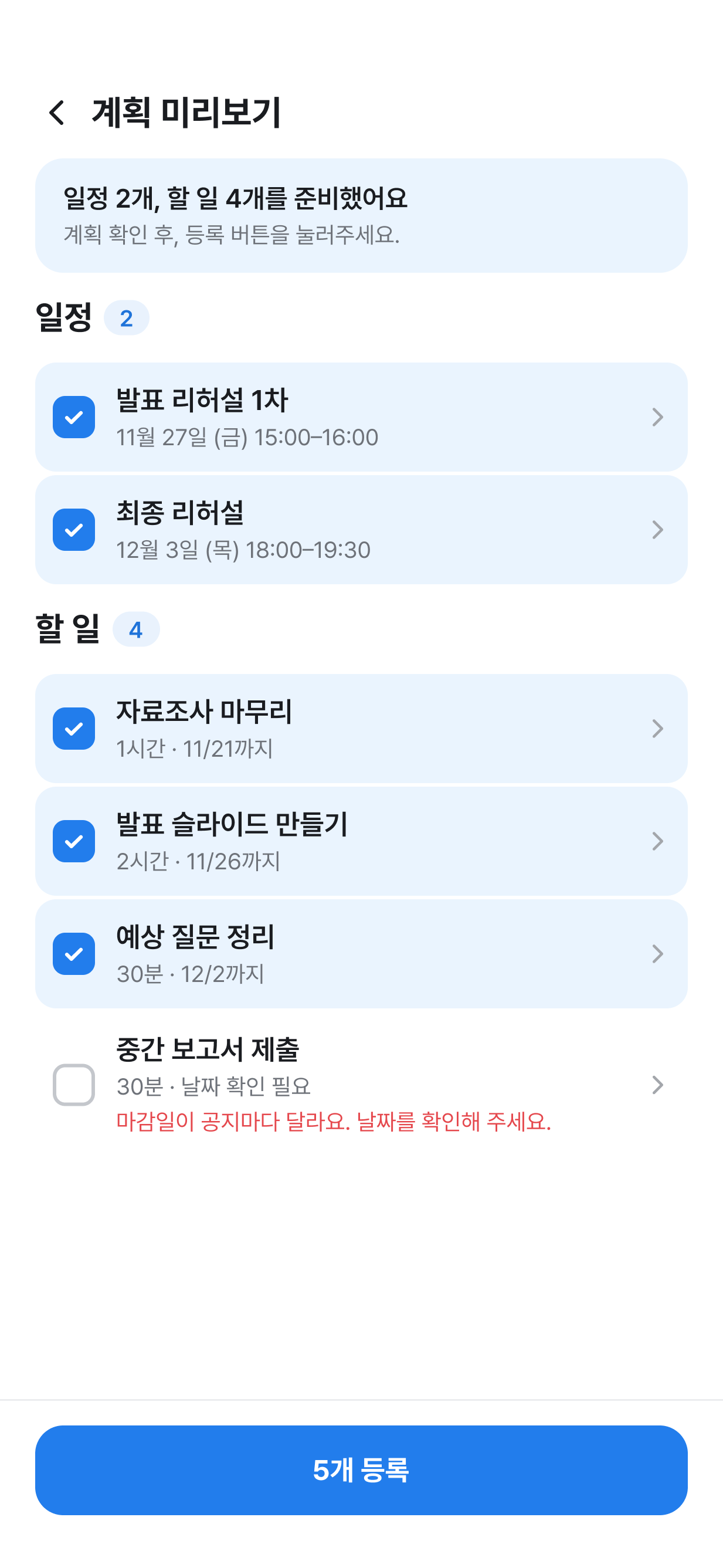
- Review the planChoose the suggested events and tasks you want to add. Five of the six suggestions are selected in the example.
AI Planner is a Pro feature.
FAQ
Where can I get the Android app?
On Android, tap the Google Play badge. On a computer, scan the QR code with your phone’s camera.
How much does METRO cost?
METRO is currently in beta, so all features are available at no cost. Sign in to use Pro for free through December 19 at 11:59 p.m. KST. Monthly AI usage limits apply.
What does Pro include?
Pro includes AI Planner, which suggests a personalized plan based on your tasks and events, and automatic connections to Notion and your device’s built-in calendar. Connections require your permission, and you choose what to import.
Can I use METRO on a computer?
Yes. Open app.metroapp.kr in your browser and sign in with your Google account.
You can also connect Google Calendar and choose which calendars to view.
Get started with METRO
The Android app is available on Google Play.